

Guesty Integration FAQ
How do I integrate my Guesty units with the Operto dashboard?
Follow these steps to integrate your Guesty units with the Operto dashboard.
How do I set up guest messages to include Operto access codes?
To configure guest messaging in Guesty and ensure the access codes are included in your communications, follow these steps.
When should I schedule emails to send access codes to my guests?
The best practice is to schedule emails to send access codes 30 minutes to 1 hour after the booking confirmation.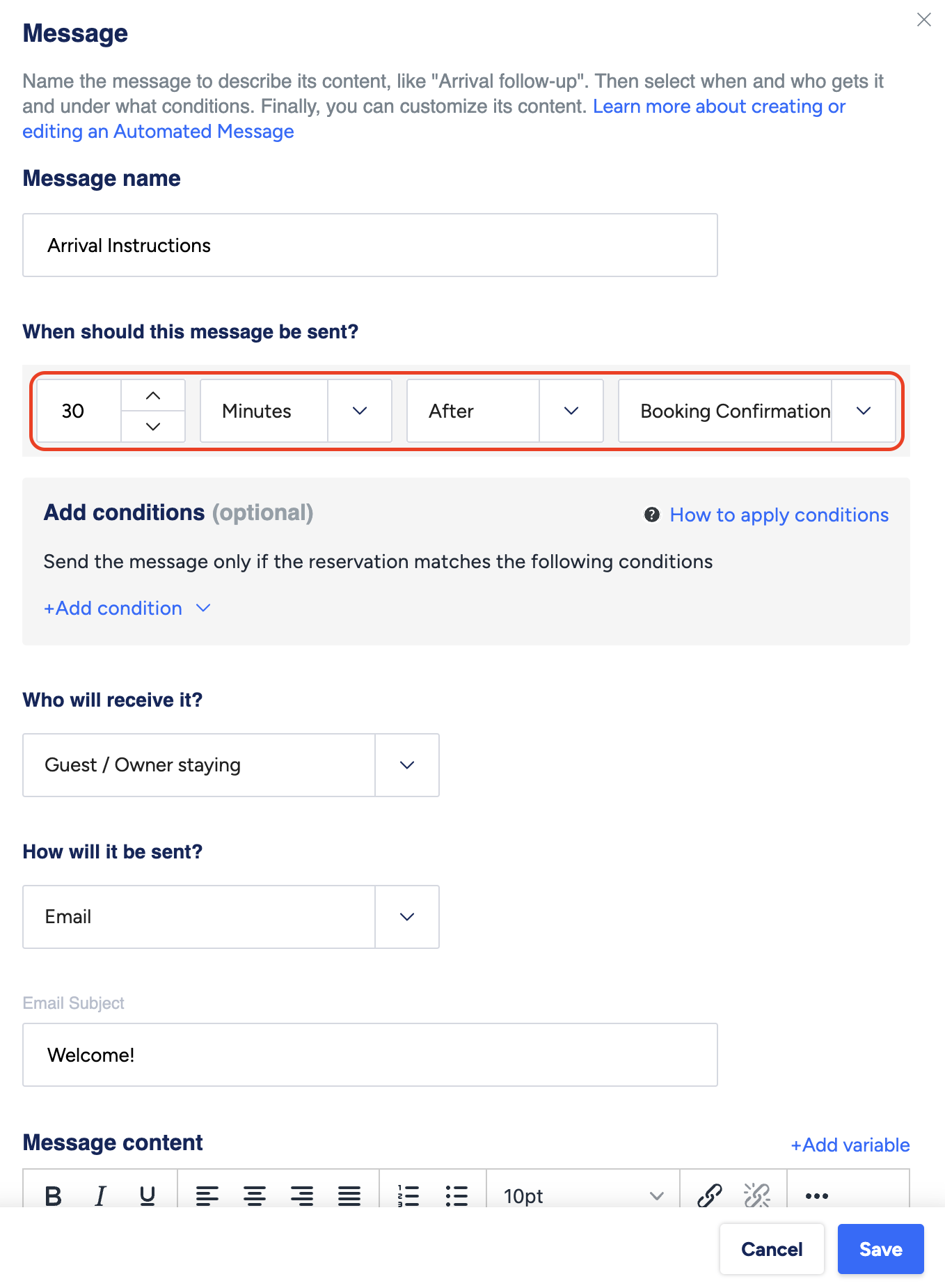
What is the variable used to send Operto access codes to my guests?
For sending check-in codes: {{key_code}}
What is the variable used to send the Operto Guest Portal link to my guests?
The Guest Portal link to display in Guesty is:
https://guests.operto.com/CompanyID_{{confirmation_code}} - The Company ID will remain the same for all guest portals. You can find this from your Operto Dashboard.
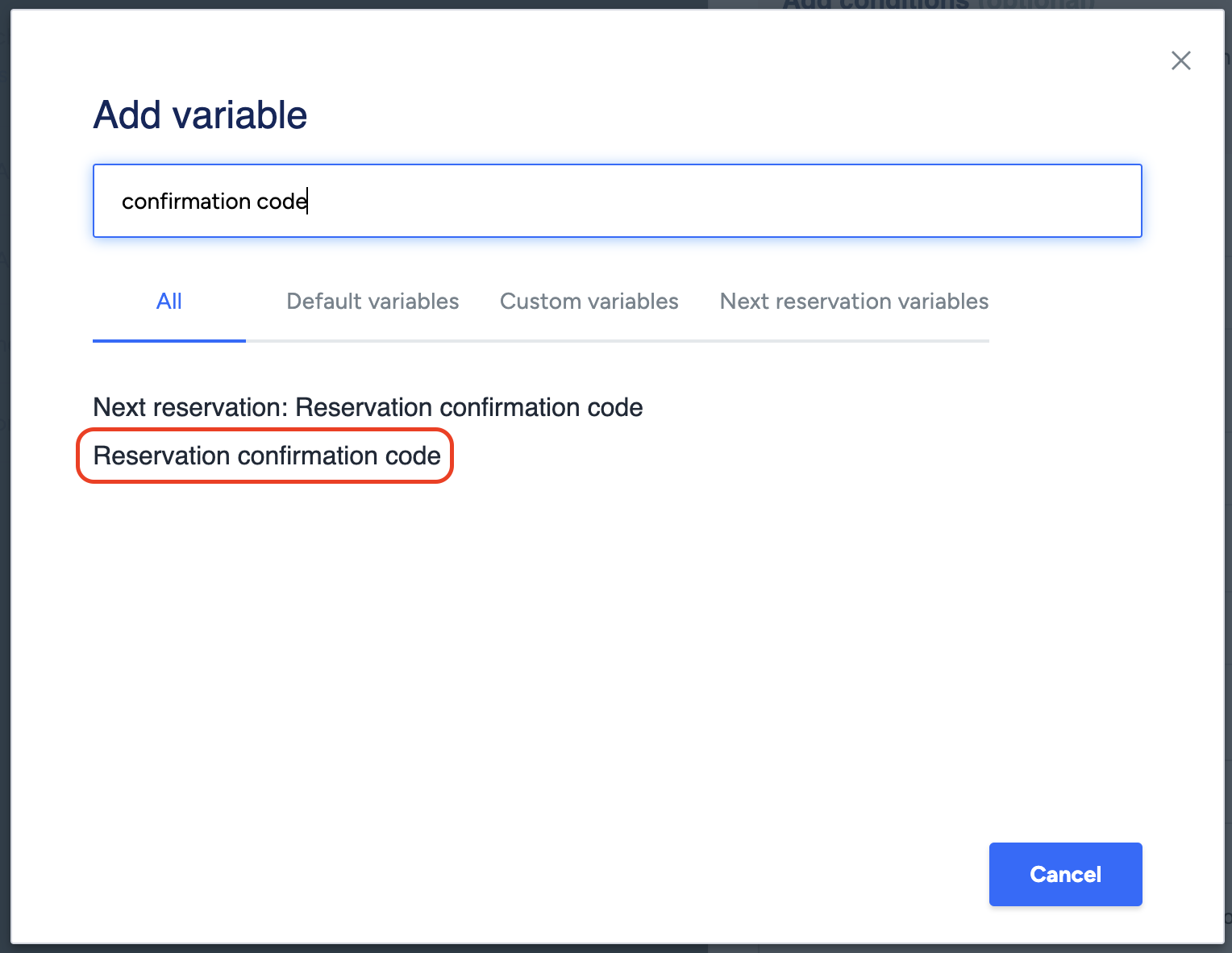
- {{confirmation_code}} is the Reservation Confirmation Code variable in Guesty, which will generate automatically for each guest portal link.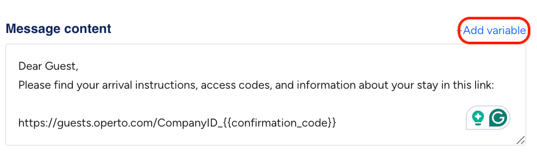
Note that the link needs to be displayed as plain text. Please do not use the hyperlink function. 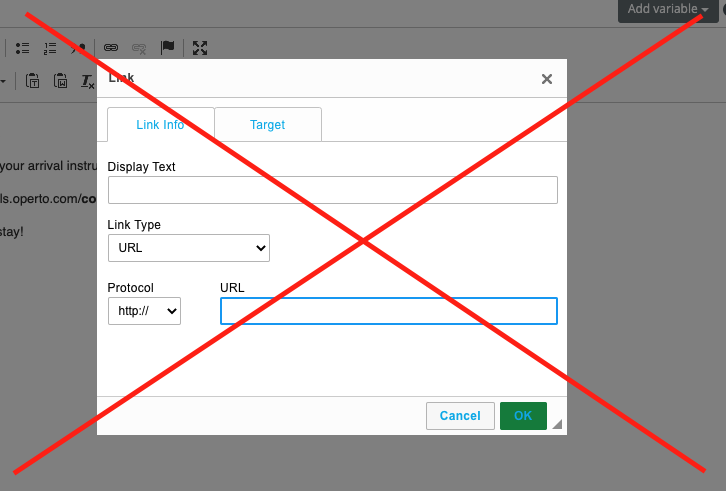
Can I cancel a guest reservation in the Operto dashboard?
No, all cancellations should go directly through Guesty. Operto will reflect the cancellation once it is processed in Guesty.
Can Operto access codes be adjusted based on the Estimated Time of Arrival (ETA) and Estimated Time of Departure (ETD) in Guesty?
Yes! Operto offers the optional ability to automatically adjust access code time in Operto based on the ETA and ETD fields in Guesty. This is ideal for approved early check-ins or late check-outs. If you use these field for requested check-ins and check-outs, we recommend managing access code timing directly in Operto.
To enable this feature, please submit a request using our Help Center's Other option..
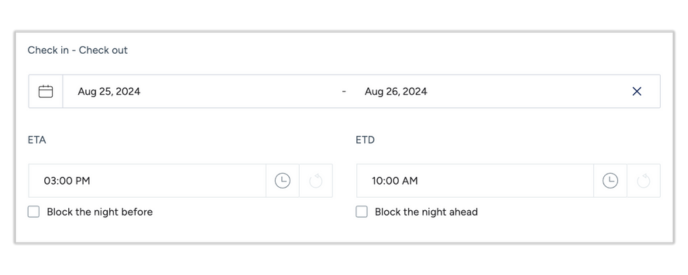
What happens if the check-in/check-out time is changed in Guesty?
Operto initially receives the reservation time as set in Guesty. Then you have an option to update guests' access code timing in Operto based on Guesty's ETA and ETD fields.
If you use these fields to designate approved early check-ins or late check-outs, you can ask us to enable this feature. And then when the ETA or ETD fields are updated, the corresponding access code will automatically adjust in Operto.
However, if you utilize those fields for requested early check-ins or late check-outs, it's recommended to leave this option off and update approved time modifications directly in Operto. Be aware that doing so will sever the connection between Guesty and Operto for that reservation.
Can I modify a guest’s check-in/check-out date in Operto?
Yes, you can modify the check-in or check-out date in Operto. However, this will break the sync between Guesty and Operto, meaning future updates will not automatically be reflected in Operto. We recommend making such changes directly in Guesty.
Can I create a reservation in the Operto Dashboard without using Guesty?
Yes, you can manually create a reservation in Operto by selecting the unit and clicking ‘add new reservation’. However, this reservation will not sync back to Guesty.
What happens if I re-assign a reservation to another unit in Guesty?
If you re-assign a reservation to another unit in Guesty, the reservation and access code will be moved from the original unit to the new unit in Operto. The same access code will be carried over to the new unit.