


Skip to content
English
  • There are no suggestions because the search field is empty.

[Tokeet] Connecting Tokeet with Operto

User-added image

image.png

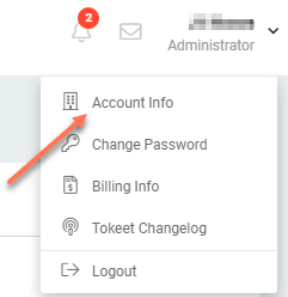
1.) Log in to your Tokeet account, go to Account Info
Screen Shot 2021-08-20 at 11.02.33 AM.png

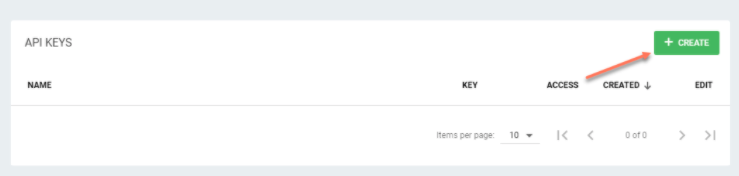
2.) In the API Keys Area click the + Create button
Screen Shot 2021-08-20 at 11.07.35 AM.png

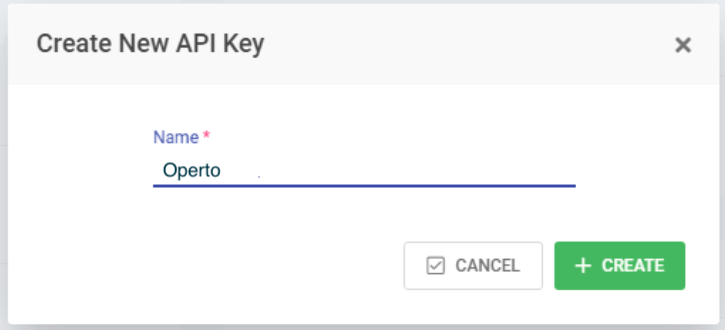
3.) Name your API Key and click the + Create button
Screen Shot 2021-08-20 at 11.09.19 AM.png

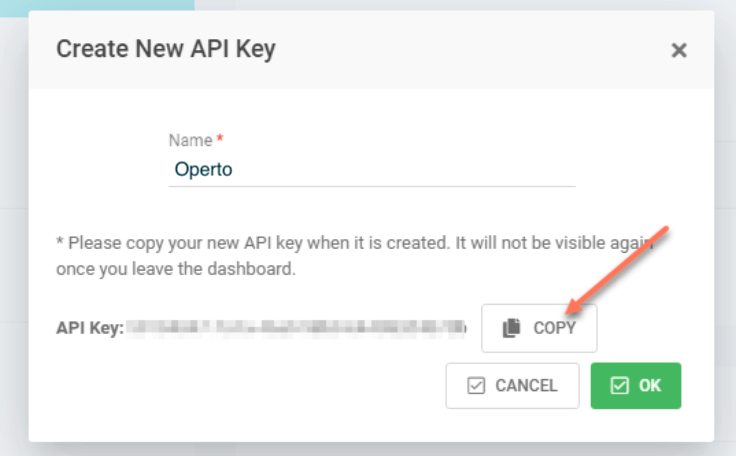
4.) Click the + Copy button to copy your API Key
Screen Shot 2021-08-20 at 11.13.44 AM.png

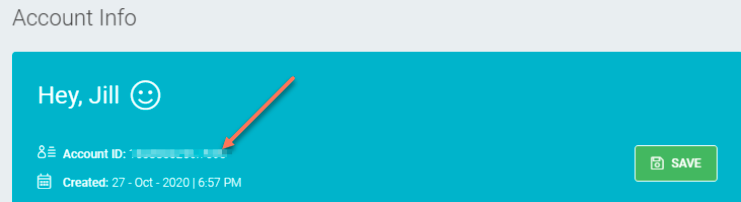
5.) Obtain your Account ID from further up in the page
Screen Shot 2021-08-20 at 11.16.08 AM.png

6.) Email support@operto.com your API Key and your Account ID