

Account Setup and Installation
- Download the NoiseAware App from the App Store on your phone or tablet
- Login to the app using the credentials that you received from Operto
- Refer to this manual to get your device set up and follow this video
- Name the device, preferably according to the following naming convention: propertyname_roomnumber
- Reach out to support@operto.com to let us know you've completed all of the steps above.
Configuring your Operto Account
NoiseAware uses a concept of Noise Risk Score (NRS). The score is based on decibel (dB) levels over a sustained period of time. A form of data smoothing. The chart below will help you setting up your thresholds.
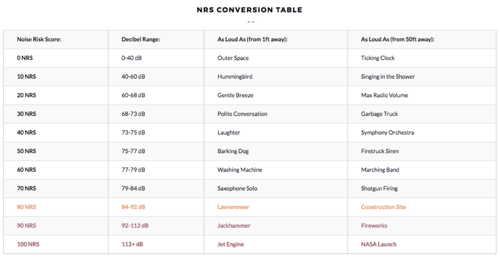
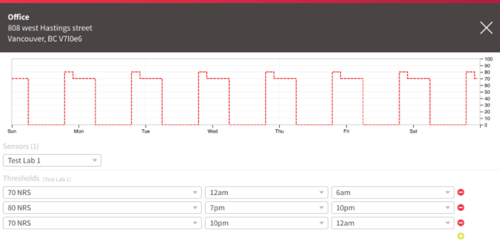
You can set up your thresholds in your NoiseAware account and at the time of onboarding, Operto will import the highest and lowest NRS values. Operto takes the time associated with the lowest NRS value and uses that to determine quiet hours. Operto supports 2 thresholds, one for regular hours and one for quiet hours. Any additional thresholds in NoiseAware will not be imported to Operto.
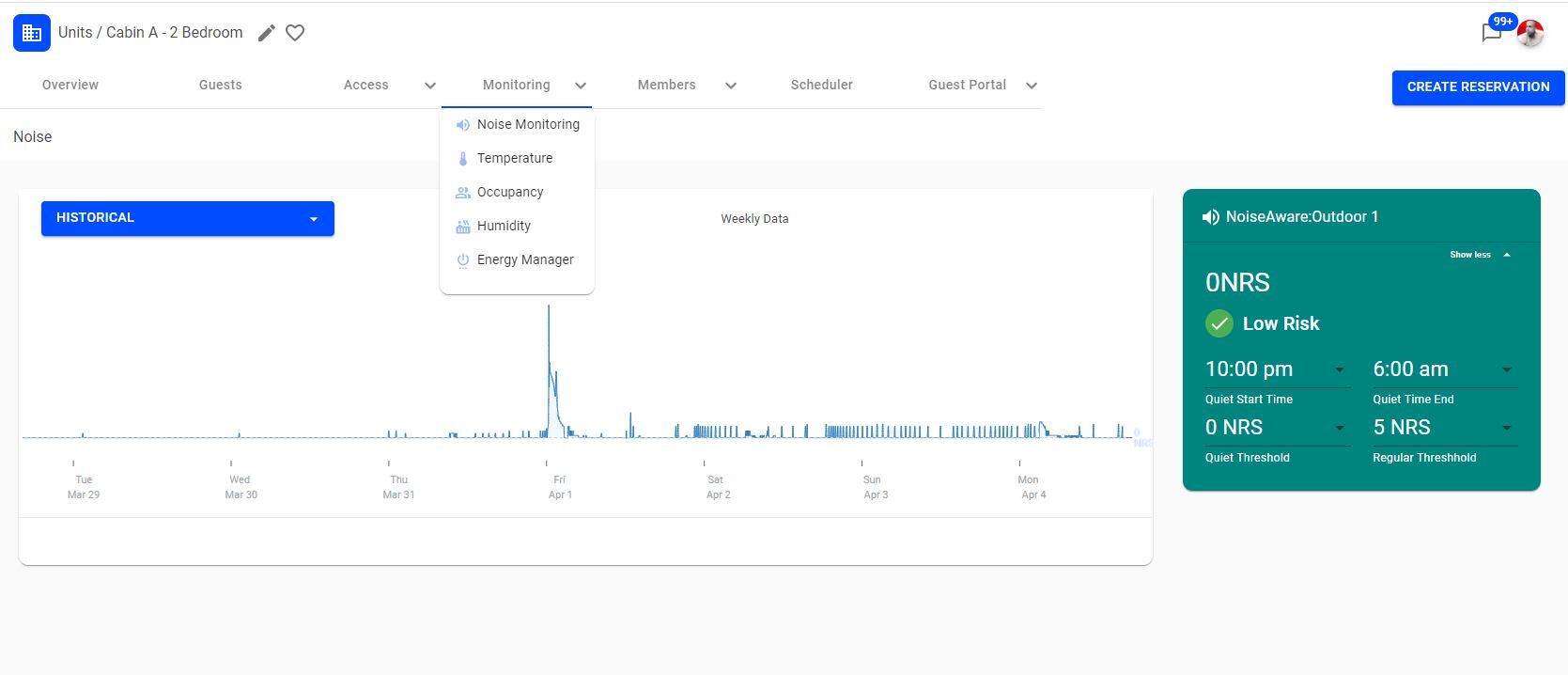
You can also adjust your thresholds and quiet hours directly on Operto under the Monitoring >> Noise Monitoring Tab.
What notifications do I get from Operto?
-
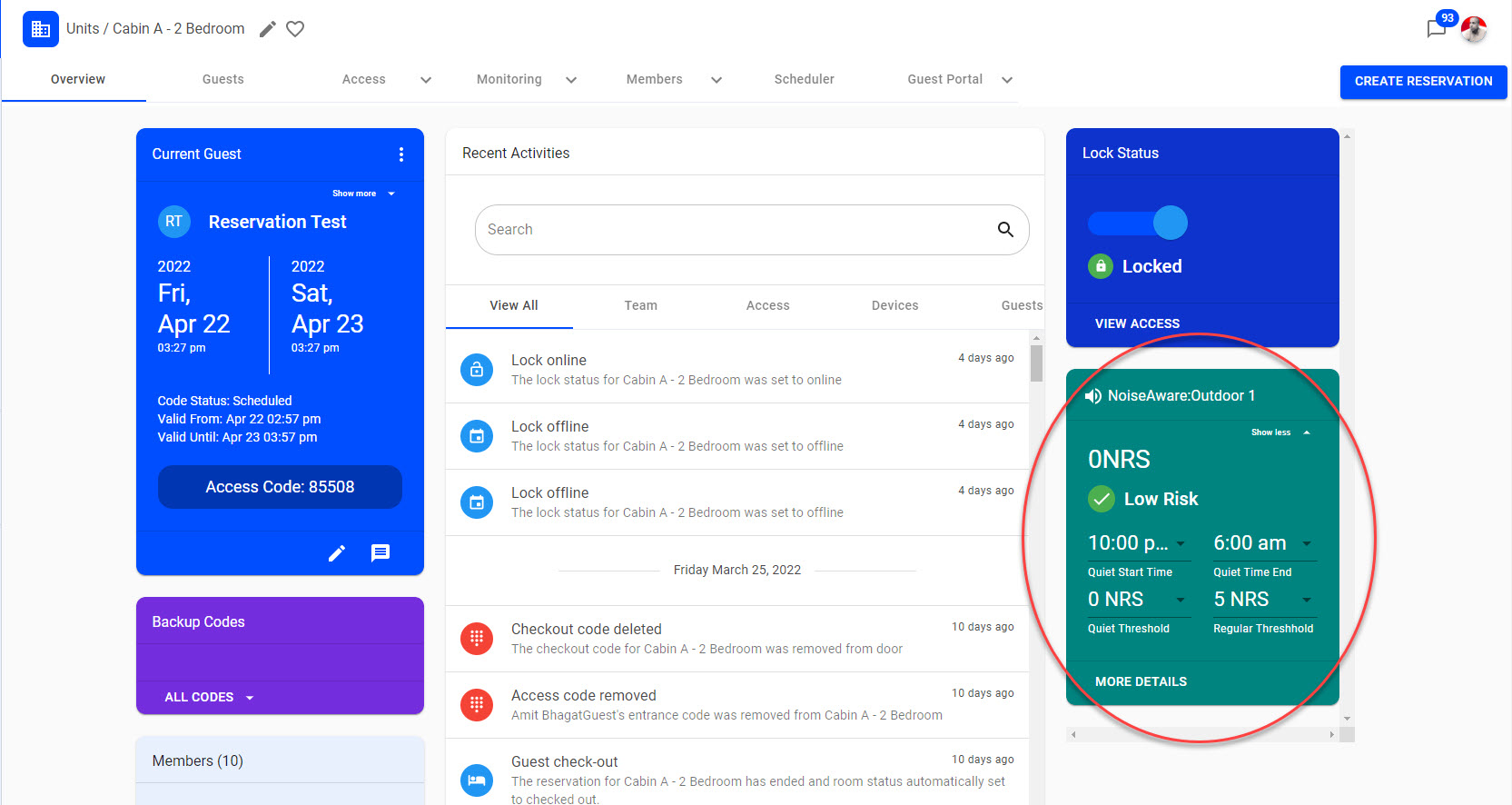
If the current noise NRS value remains above the current threshold for 15 minutes, a noise risk alert will be triggered and sent accordingly to your team members.
-
Please note that the Noise Risk Alert can be different from the Current Noise Risk Score as the Noise Risk Alert updates every 15 minutes, whereas the current Noise Risk Score is updated in real-time. This avoids your team members from receiving notification subscribers every single time the Current Noise Risk goes above or below the threshold. Instead, they get an alert every 15 minutes.
Any questions?
Reach out to us using the Help Center to let us know you've completed all of the steps above.