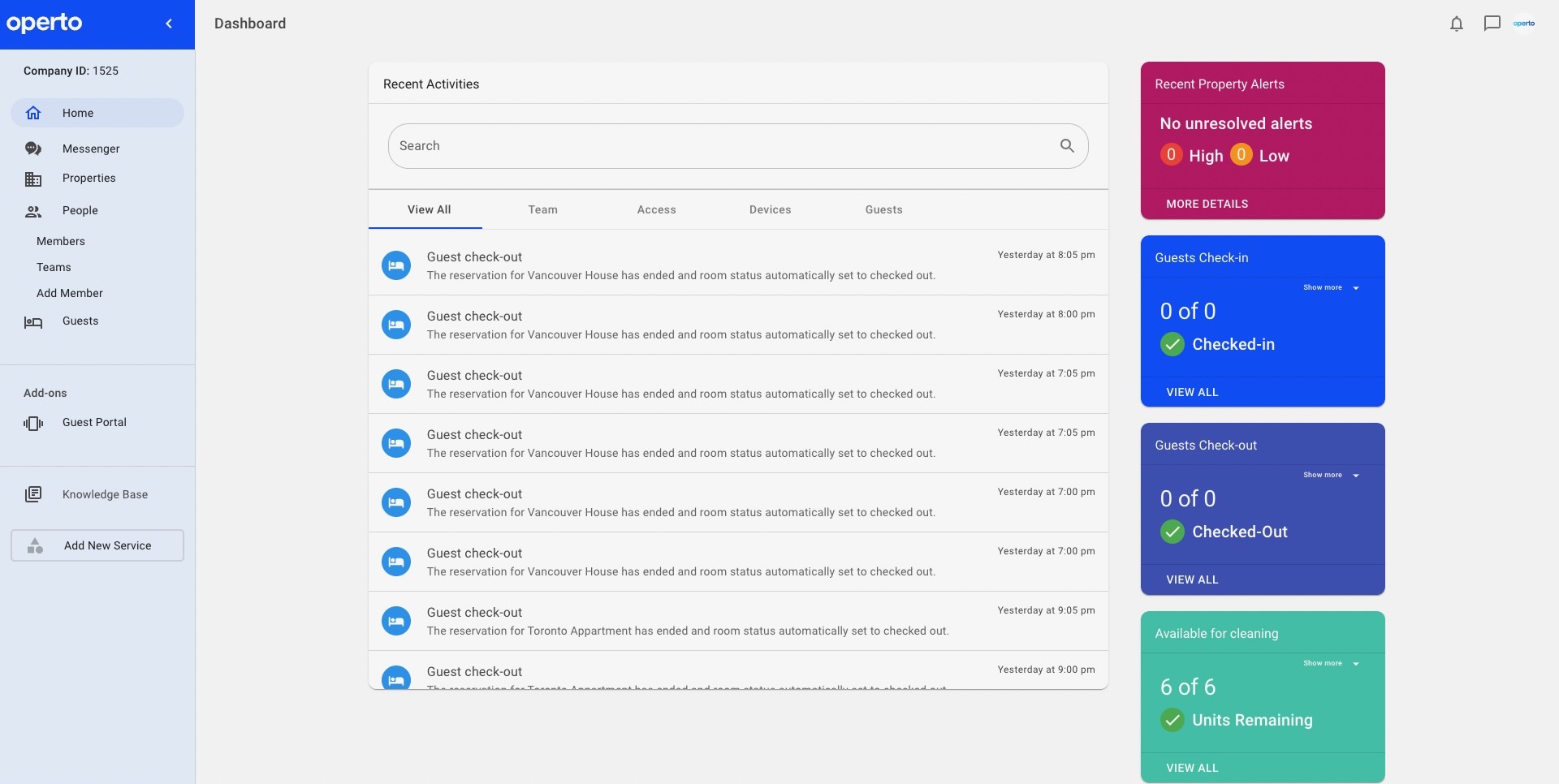
This screen is meant to give you a snapshot of today's activities for all your active units on Operto.
The 4 boxes provide real-time insight and a metric of the day’s progress. When each count reaches zero, the green checkmark will appear to signify that the current day’s actions have been completed.
Recent Property Alerts: Valuable information regarding the status of codes, hubs (online or offline), or other alerts that might affect a guest’s upcoming stay.
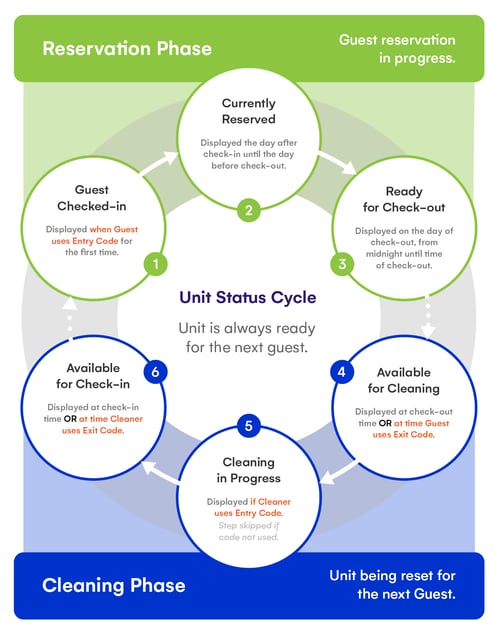
Guests Check-in: Today's total number of pending check-ins. The count goes down as guests check-in using their assigned access codes.
Guests Check-out: Today's total number of pending check-outs. The count goes down as guests check-out using their assigned check-out code.
Available for Cleaning: Today's total number of check-outs measured by cleaning status. The count goes down as cleaners use their Cleaning Complete codes.
Clicking "MORE DETAILS" at the bottom of each box will bring up the Detailed Unit View for the selected unit.
Tip: Clicking “View Units” will display all units in that category.