
How to Enable Upsells in Operto
Index
- How to Activate Upsells in Operto
- How to Request for Activation of Upsells
- How to Enable Stripe Connect Integration for Payments
How to Activate Upsells in Operto
Here is a step-by-step guide on How to Activate Upsells in Operto
- Submit a request for Activation of Upsells feature
- Once our team has activated the Upsells feature, you will see a new Upsells tab in your dashboard.
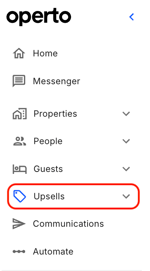
- To enable paid Upsells, Enable Stripe Connect integration for Payments
- Set up Upsells in the Upsells tab by following this guide.
How to Request for Activation of Upsells
Follow the steps below to request the activation of the Upsells feature:
How to Enable Stripe Connect Integration for Payments
Follow the steps below to integrate your Stripe account to accept payments for the Upsell feature: