Connecting Hostfully with Operto

From your Hostfully account:
Follow the steps in this video to set up your Hostfully integration:
To set up your Guest Messaging in Hostfully:
- Select Templates and Triggers from your Hostfully dashboard.
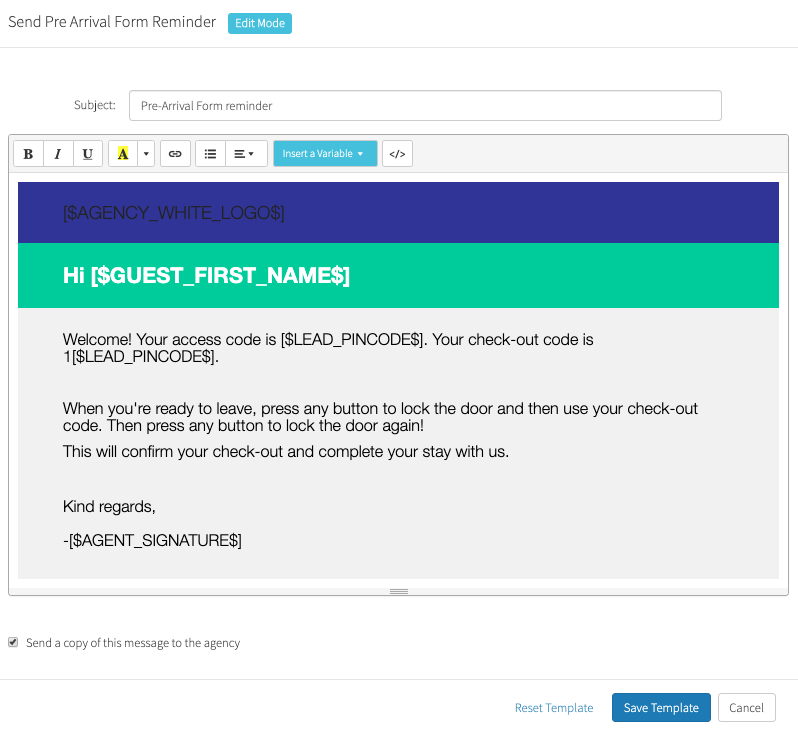
- Choose the message template used for guest confirmation or guest welcome emails.
- Select Insert Variable and choose Pincode from the dropdown. Use the variable ‘pincode’ to insert the code into your check-in and pre-checkout instructions. Adding the number 1 before the variable string will embed the check-out code.
Note: If the variable is typed manually instead of selecting it from the dropdown menu, the variable will not work.
To schedule your Guest Messaging in Hostfully:
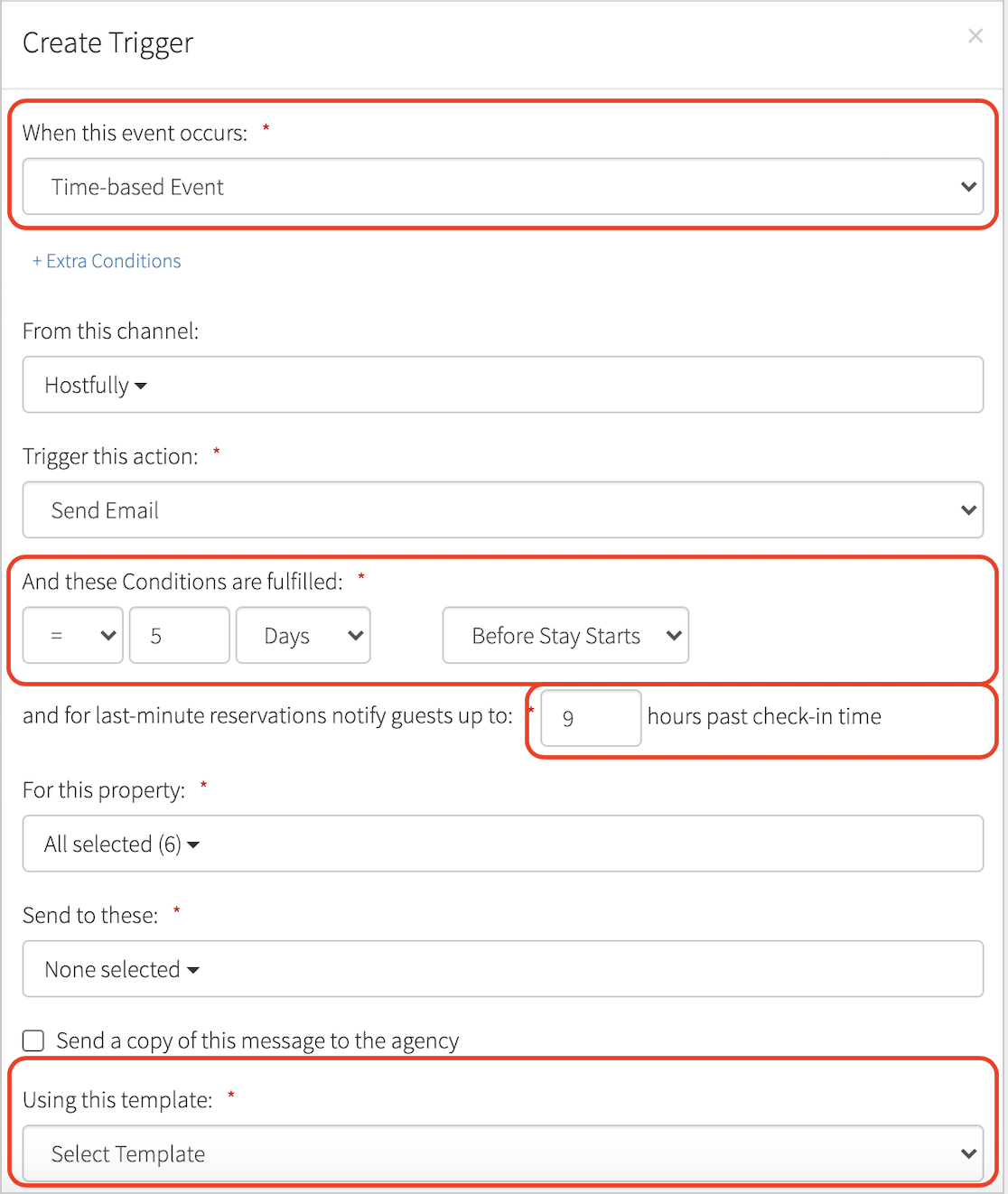
- Under Templates and Triggers, select the "Triggers" tab.
- Select Time-based event.
- Select the timing for the message to be sent. It is recommended to schedule the message to go out 5 days and 1 day before check-in.
- Set up how many hours after check-in the template should be sent out for same-day reservations.
- Select the appropriate template to schedule.